Tag Archives: patchwork

Aircraft Quilt Block

For practice this week, I chose the Aircraft quilt block. 

Aircraft Quilt Block

It can be drawn with a 2 x 2, or 4 x4 grid.

If you have BlockBase, it is #1319.  I like to draw the blocks that I practice with, since the point of practice is to learn to use Electric Quilt, and increase my quilt design skills.

Here is what the block looks like in a straight set:

Aircraft Straight Set

The Aircraft quilt block is a simple little block, so I thought I would need lots of alternate blocks to play with.

Not so (which is good, since I have a self-imposed challenge to work with one block).

Let’s play with rotation.

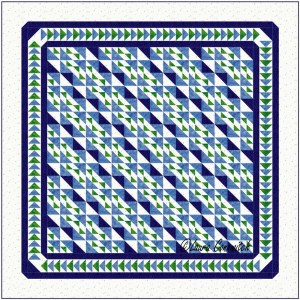
Aircraft Straight Set 2

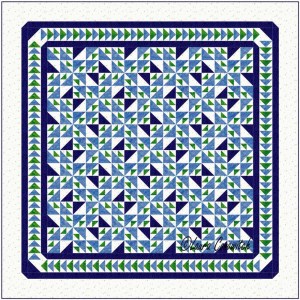
Aircraft Straight Set 3

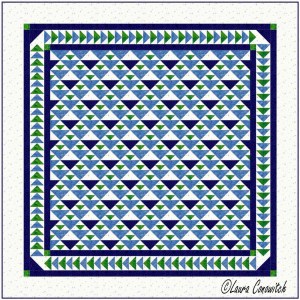
Aircraft Straight Set 5

Aircraft Straight Set 6

Not a single alternate block was used in any of the four previous designs, yet, there is plenty of movement going on!  Diagonals, zig-zags and bow-ties for the eye to see!

I added one simple alternate block in the following design:

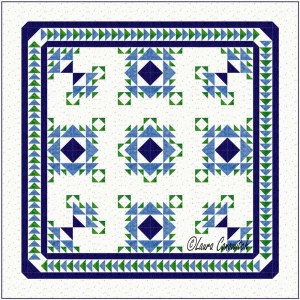
Aircraft Straight Set 4

For the next two designs, I’ve added just one alternate block that was created by simply deleting a few lines from the Aircraft quilt block.

Aircraft Straight Set 7

Aircraft Straight Set 8

The open spaces calm the design down and let the eye rest.  They are good spaces for lovely quilting.

I have yet to try this block in an on point setting.  That will be next week’s practice.

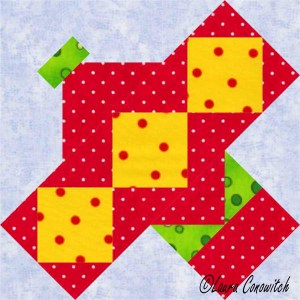
Airplane Quilt Block

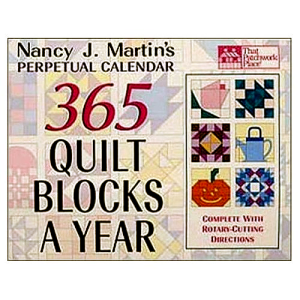
I have been practicing my drawing and designing skills using Electric Quilt and Nancy Martin’s calendar for my tools and inspiration. Nancy Martin CalendarLooking back, I can see lots of personal growth.

However, the Airplane block was a bit of a drawing challenge for me.  It is not done with an obvious grid.

Airplane Quilt Block

But I conquered! 

In fact, as I sit here, writing, and looking at the block, I realize that I may have drawn this the hard way.  Those bright yellow squares are now jumping out at me, and they would make an obvious grid to use as a starting off point.  Something I did not do (Why didn’t I see that when I was drawing?!).  LOL!

I started out with the EasyDraw worktable.  Mistake!  If you want to practice this block, choose the EasyDraw + PatchDraw worktable.  You’ll need the PatchDraw to draw the propeller.  If you forget, and use the EasyDraw worktable, like I did, you will need to copy your block and paste it to the EasyDraw + PatchDraw worktable. 

Thank you, Electric Quilt Genies, for making it possible to copy and paste entire blocks for folks like me!  I really didn’t want to have to redraw the whole thing!

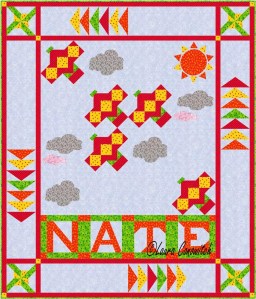
And here is the quilt design that I came up with:

Airplane Quilt

All of the blocks can be found in Electric Quilt’s block library.  How cool is that?!

Wyoming Valley Star Quilt Block

This week’s practice block is the Wyoming Valley Star.

Wyoming Valley Star Quilt Block

It is drawn with a 6 x 6 grid.

And here is how it looks set side-by-side in a straight set:

Wyoming Valley Star Straight Set

How about a little color to add a spark to the quilt?  All I did was draw a line across the four corners of the block and popped the color in.

Wyoming Valley Star Straight Set

Let’s open up the design a bit.  This time I deleted lines from the Wyoming Valley Star quilt block to create alternate blocks.

Wyoming Valley Star Straight Set

The same block looks different when the color is moved around.

Wyoming Valley Star Straight Set

It is nice to have open spaces to show off your quilting skill.

Wyoming Valley Star Straight Set

The next design is similar to the first, but the Wyoming Valley Star quilt block is now set on point:

Wyoming Valley Star On Point Set

Another variation on point:

Wyoming Valley Star On Point Set

Lots of room for quilting!

Wyoming Valley Star On Point Set

If I were to make one of these last two, I think I would play with border variations.  I might like something simpler to go with the simpler quilt design.

Wyoming Valley Star On Point Set

What do you think?