Tag Archives: Electric Quilt

Alpine Cross Quilt Block Part 1

Using Electric Quilt , I am playing with the Alpine Cross quilt block this week.
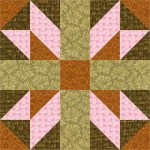
Alpine Cross Quilt Block

It is drawn with a 5 x 5 grid.

For the practice, I prefer to draw it myself, but if you have BlockBase, then search for #1876a.

Here is what Alpine Cross looks like in a straight set:
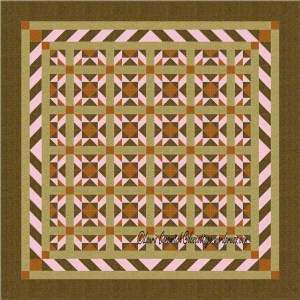
Alpine Cross Straight Set

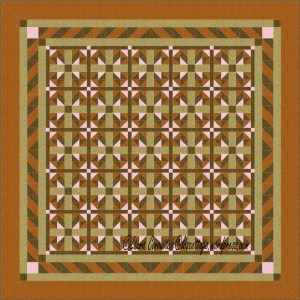
I thought I added a great border.  Now I think it is too distracting.  I’d change that if I were going to make this quilt design.  LOL!

Next, I added sashing and cornerstones.

Alpine Cross Straight Set 2

I like it much better.

What if I move the color around?
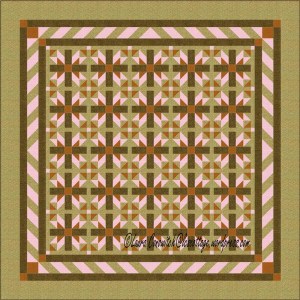
Alpine Cross Straight Set 3

Alpine Cross Straight Set 4

Take the time to play with color and value placement.  I should’ve changed the color of those cornerstones.  Sometimes moving color and value around makes all the difference between an okay design, a good design, and a great design.  And more often, it is simply a matter of personal taste.

You can change the color scheme altogether too.  I tried to choose a woodsy, masculine theme for this exercise.  The pink is really needed to create the contrast (although a very light beige or white would’ve worked very well).  Keep contrast in mind when you are choosing color and value.

I also kept the fabric choices to a minimum, just for simplicity’s sake.  One could certainly get very scrappy if one wanted to.

I deleted some lines in the Alpine Cross block, to come up with an alternate block.  It simplified the design and I like it.  Some of the blocks are rotated too.
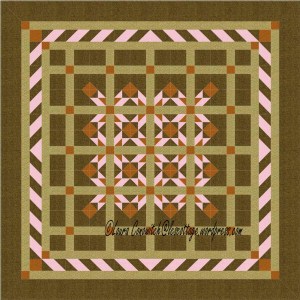
Alpine Cross Straight Set 5

Again, I altered the Alpine Cross to create another alternate block.  Now I have more to play with, and the designs are getting interesting.
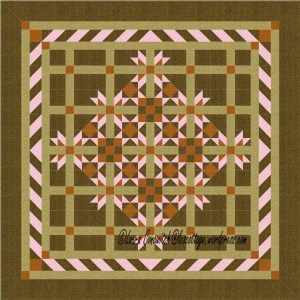
Alpine Cross Straight Set 6

What do you think?

Aircraft Quilt Block

For practice this week, I chose the Aircraft quilt block. 

Aircraft Quilt Block

It can be drawn with a 2 x 2, or 4 x4 grid.

If you have BlockBase, it is #1319.  I like to draw the blocks that I practice with, since the point of practice is to learn to use Electric Quilt, and increase my quilt design skills.

Here is what the block looks like in a straight set:

Aircraft Straight Set

The Aircraft quilt block is a simple little block, so I thought I would need lots of alternate blocks to play with.

Not so (which is good, since I have a self-imposed challenge to work with one block).

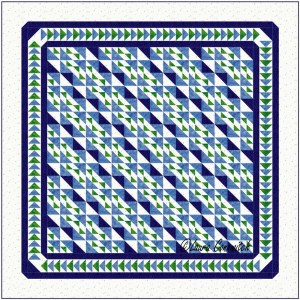
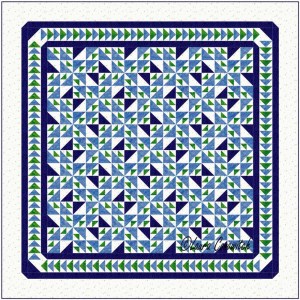
Let’s play with rotation.

Aircraft Straight Set 2

Aircraft Straight Set 3

Aircraft Straight Set 5

Aircraft Straight Set 6

Not a single alternate block was used in any of the four previous designs, yet, there is plenty of movement going on!  Diagonals, zig-zags and bow-ties for the eye to see!

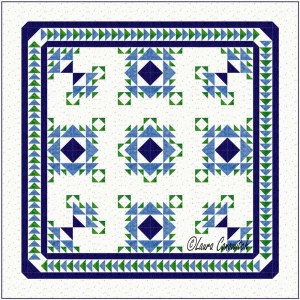
I added one simple alternate block in the following design:

Aircraft Straight Set 4

For the next two designs, I’ve added just one alternate block that was created by simply deleting a few lines from the Aircraft quilt block.

Aircraft Straight Set 7

Aircraft Straight Set 8

The open spaces calm the design down and let the eye rest.  They are good spaces for lovely quilting.

I have yet to try this block in an on point setting.  That will be next week’s practice.

Airplane Quilt Block

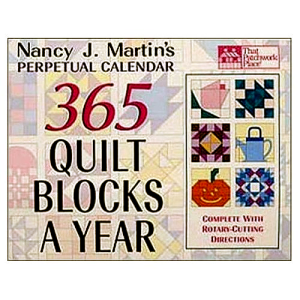
I have been practicing my drawing and designing skills using Electric Quilt and Nancy Martin’s calendar for my tools and inspiration. Nancy Martin CalendarLooking back, I can see lots of personal growth.

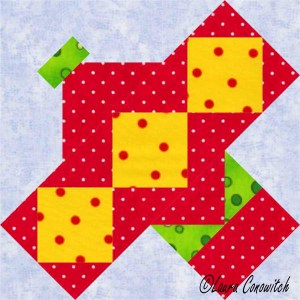
However, the Airplane block was a bit of a drawing challenge for me.  It is not done with an obvious grid.

Airplane Quilt Block

But I conquered! 

In fact, as I sit here, writing, and looking at the block, I realize that I may have drawn this the hard way.  Those bright yellow squares are now jumping out at me, and they would make an obvious grid to use as a starting off point.  Something I did not do (Why didn’t I see that when I was drawing?!).  LOL!

I started out with the EasyDraw worktable.  Mistake!  If you want to practice this block, choose the EasyDraw + PatchDraw worktable.  You’ll need the PatchDraw to draw the propeller.  If you forget, and use the EasyDraw worktable, like I did, you will need to copy your block and paste it to the EasyDraw + PatchDraw worktable. 

Thank you, Electric Quilt Genies, for making it possible to copy and paste entire blocks for folks like me!  I really didn’t want to have to redraw the whole thing!

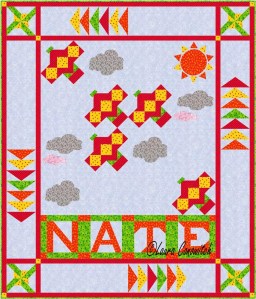
And here is the quilt design that I came up with:

Airplane Quilt

All of the blocks can be found in Electric Quilt’s block library.  How cool is that?!